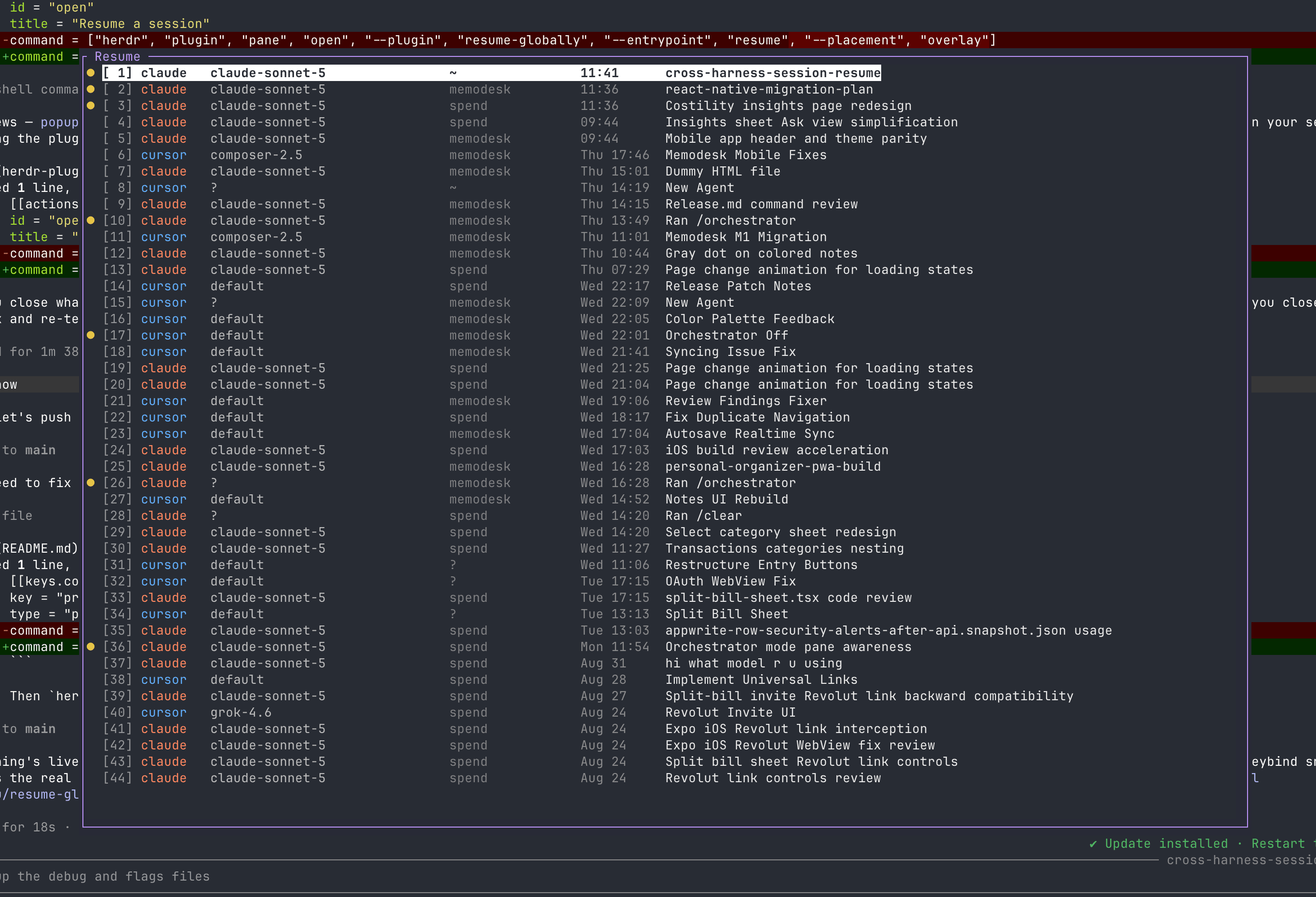
How to Create a Herdr Plugin: Building resume-globally
A practical example of creating a Herdr plugin by building resume-globally, a session picker for Claude Code, Cursor, and OpenCode. Source: https://github.com/muscaiu/resume-globally
Start with one useful command
A good Herdr plugin starts with a focused workflow. resume-globally searches the existing local session data from Claude Code, Cursor, and OpenCode, then lets you resume a selected session in a new pane. It does not need hooks, logging, or plugins installed in the other tools. Source repository: https://github.com/muscaiu/resume-globally
Install the plugin
Once the repository is ready, install it directly through Herdr:
Bind the action to a key
For a faster workflow, add a command binding to ~/.config/herdr/config.toml. This exposes the plugin action from a keyboard shortcut. Reload the configuration after saving the file.
Check the requirements
resume-globally expects Bash 4 or newer, jq, and sqlite3. macOS includes Bash 3.2 by default, so install a newer Bash first if you are running it there. The plugin then provides live filtering, keyboard navigation, session flagging, and resume-in-a-new-pane behavior.
The general plugin pattern
The practical pattern is simple: build a useful command-line workflow, package it in a repository, expose an action such as open, and bind that action to a key when you want quick access. The complete source for this example is available on GitHub: https://github.com/muscaiu/resume-globally